BACK
5 Oct 2022 1:17 PM
Testing Out Godot

This last week I spent some time getting comfortable with
 Godot!
My goal is to make a full game with Godot by the end of the year, so I wanted
o spend some to understand the engine beforehand.
Godot!
My goal is to make a full game with Godot by the end of the year, so I wanted
o spend some to understand the engine beforehand.
For this test, I also decided to use Godot 4.0 Beta 2, as I was really interested in using the new tileset and tilemap editors.
The Github Repo:
 Godot Test
Preview of What I Made
For this test, I used a free tile asset from itch.io,
Pixel Art Top Down - Basic.
Challenges I Faced
The top-down 2d artstyle is aesthetically very nice, but it can pose programming challenges when considering drawing order and physics. This is especially noticeable when the top-down art has what are considered “tall-walls”. Tall walls are any object that should appear taller than the player. Some rules for tall walls:
- When the player is “in-front” of the wall, the player should be drawn above the wall.
- When the player is “behind” of the wall, the player should be drawn below the wall.
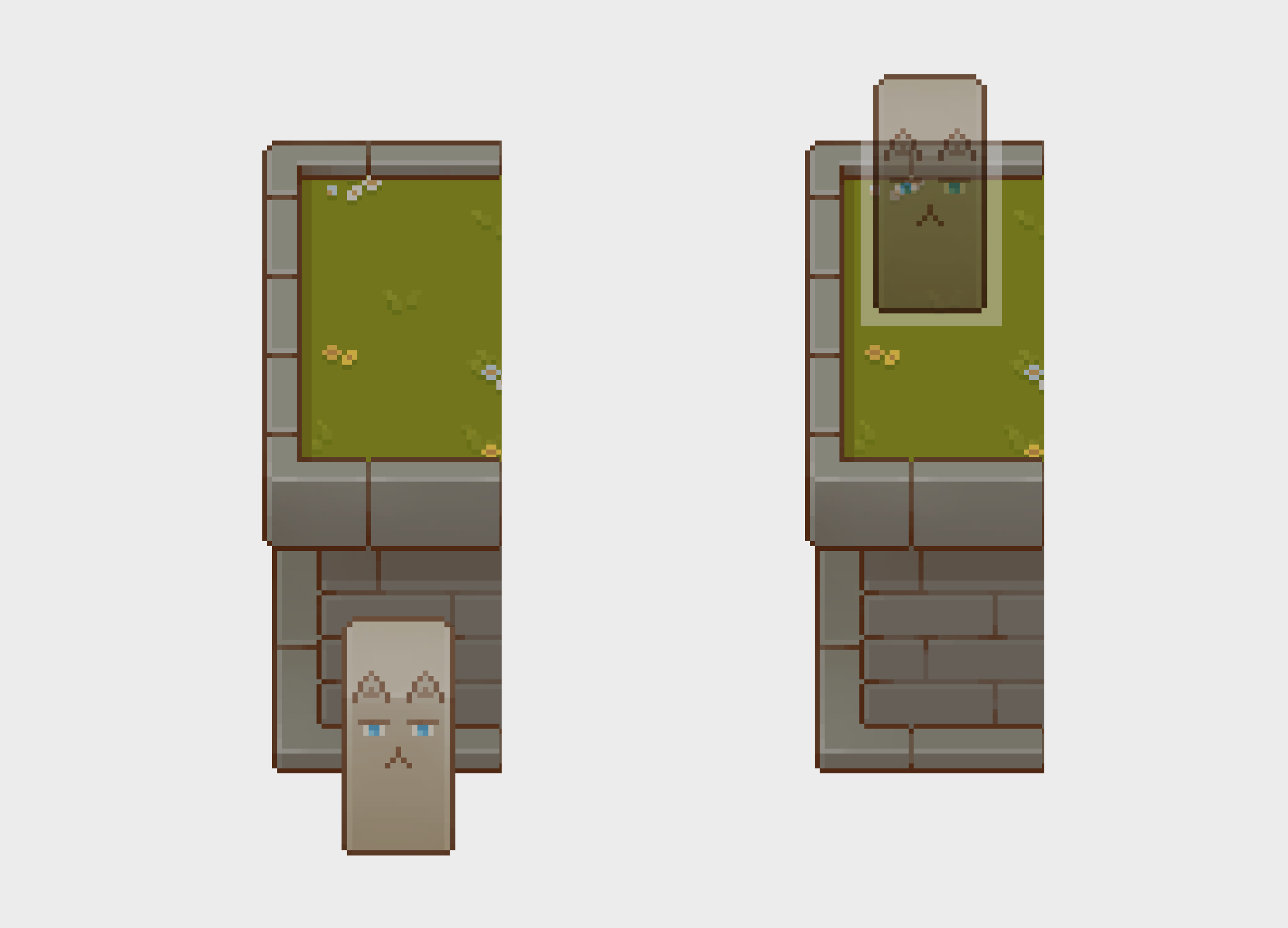
This gets even more complicated when you add stairs that can move the player between different layers. In these cases, the collision boxes need to change so that the player can still go behind the wall.
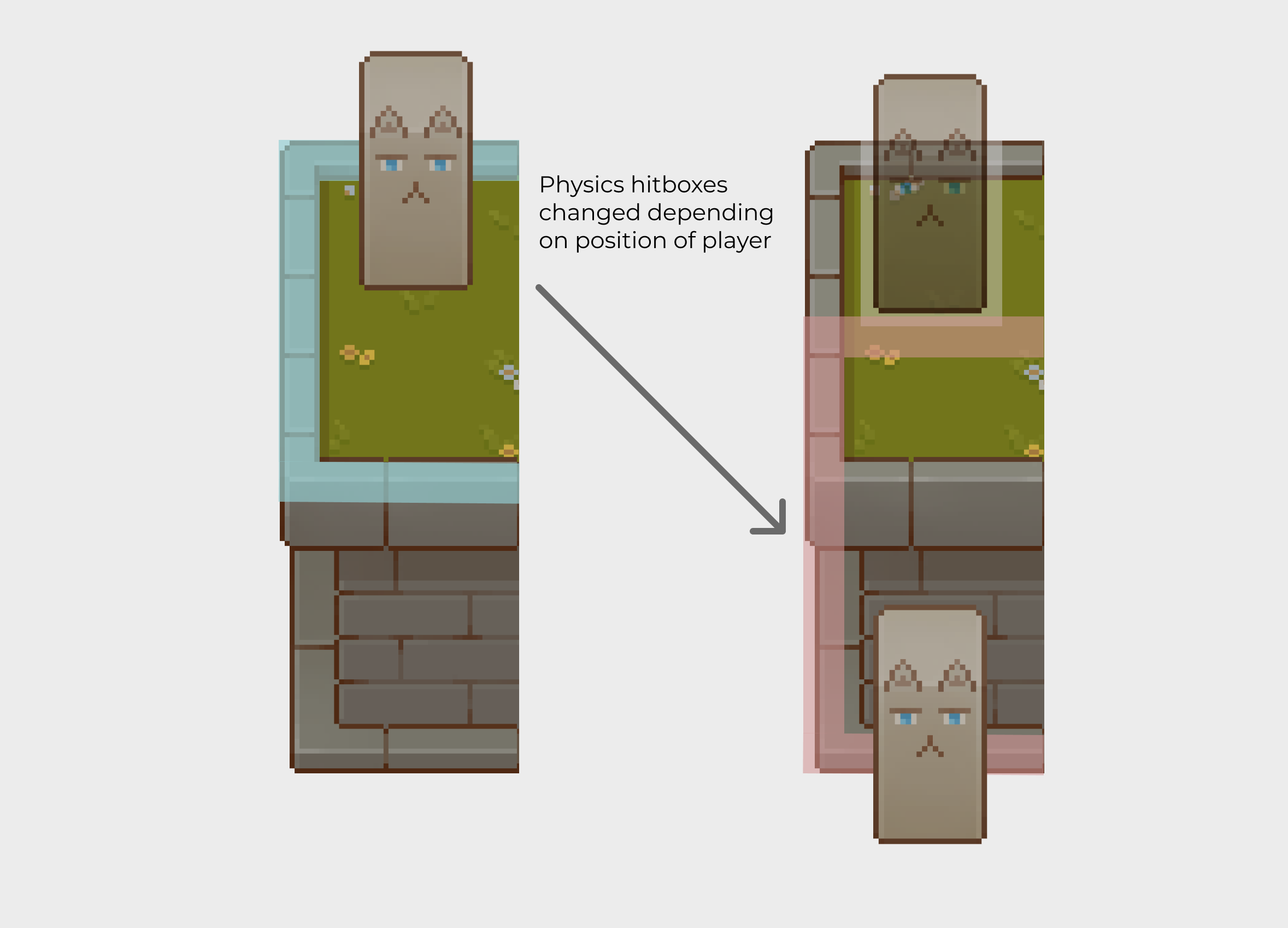
I can easily switch between physics collisions by changing the physics mask on the player. However, I need to know WHEN to switch the bits of the mask. To do this, I created a gate on the one thing that can switch the player between layers, stairs.
I added two overlapping sensors on the stairs which I can use to test in which direction the player is moving in (UPWARDS or DOWNWARDS).
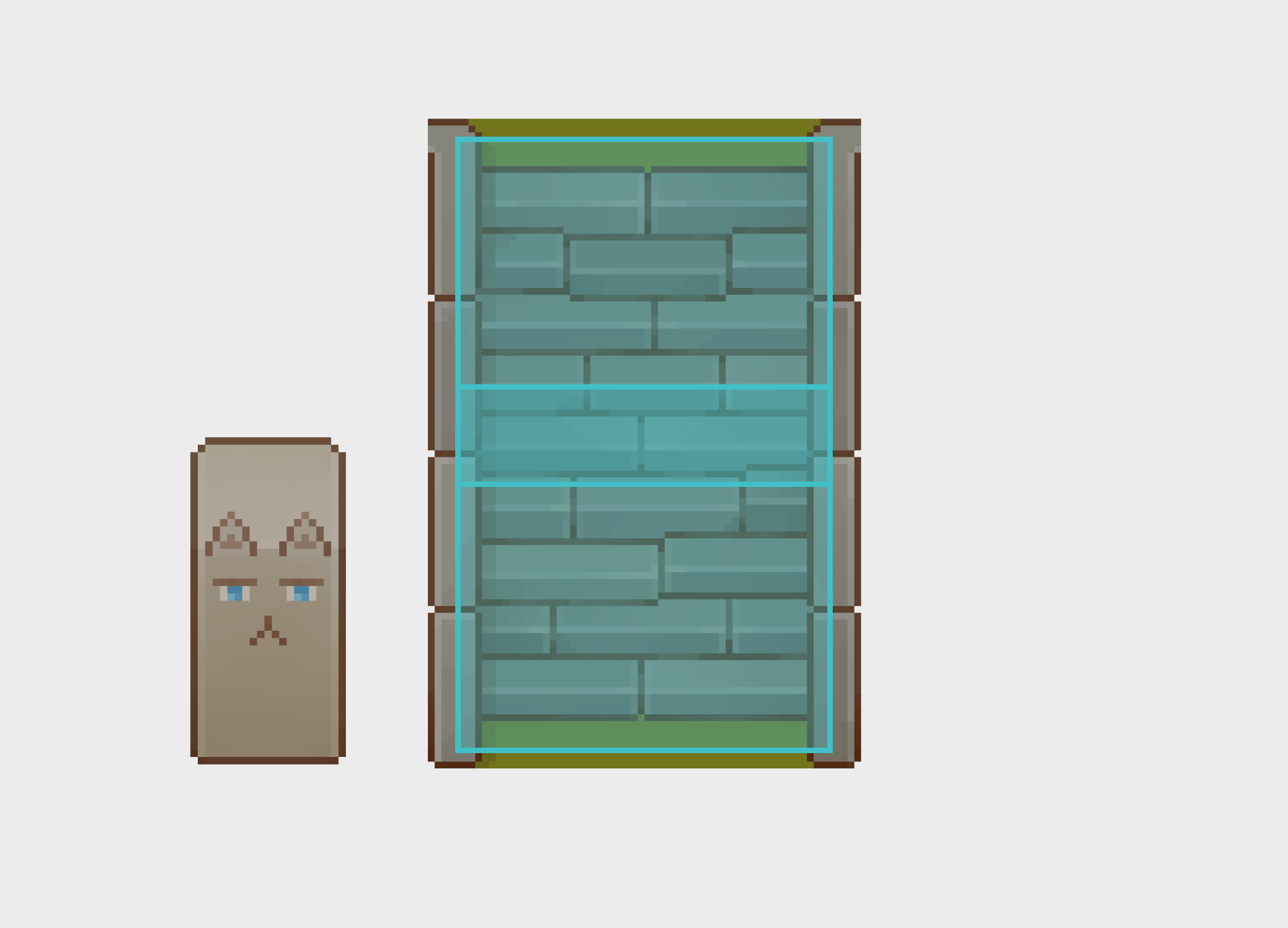
I used signals from bodies (like the player) entering and exiting the sensor to test wether the top sensor is hit after the bottom sensor, or vice versa.
# Signal for player entering bottom sensor.
func _on_bottom_sensor_body_entered(body: Node2D):
	if (body.name != "Player"):
		return
	bottom_hit = true;

# Signal for player entering top sensor.
func _on_top_sensor_body_entered(body: Node2D):
	if (body.name != "Player"):
		return
	top_hit = true;

# Signal for player exiting bottom sensor.
func _on_bottom_sensor_body_exited(body: Node2D):
	if (body.name != "Player"):
		return
	bottom_hit = false;
	if (top_hit):
		action = Action.UPWARDS;

# Signal for player entering bottom sensor.
func _on_top_sensor_body_exited(body: Node2D):
	if (body.name != "Player"):
		return
	top_hit = false;
	if (bottom_hit):
		action = Action.DOWNWARDS;
Still Left To Learn
- How to use lighting
- Allow for player to go under and above bridges
- Learn more about shaders and effects